
HeartMuLa
Audio to MIDI converter
Upload a song and MuLa Studio turns its vocal melody into MIDI notes, detects the chords and lines up the lyrics. Download the MIDI file, or change notes and hear the song sung back.
Free to start: 30 credits a day, no card needed.
How it works
- 01
Upload a song
Add an MP3, WAV, FLAC or M4A file up to 6 minutes long, of a song you made or have permission to use. Songs with a clear lead vocal work best.
- 02
Get the MIDI
Studio transcribes the vocal melody into notes on a piano roll, detects the chord progression and aligns every lyric line to the notes it is sung on.
- 03
Download or edit
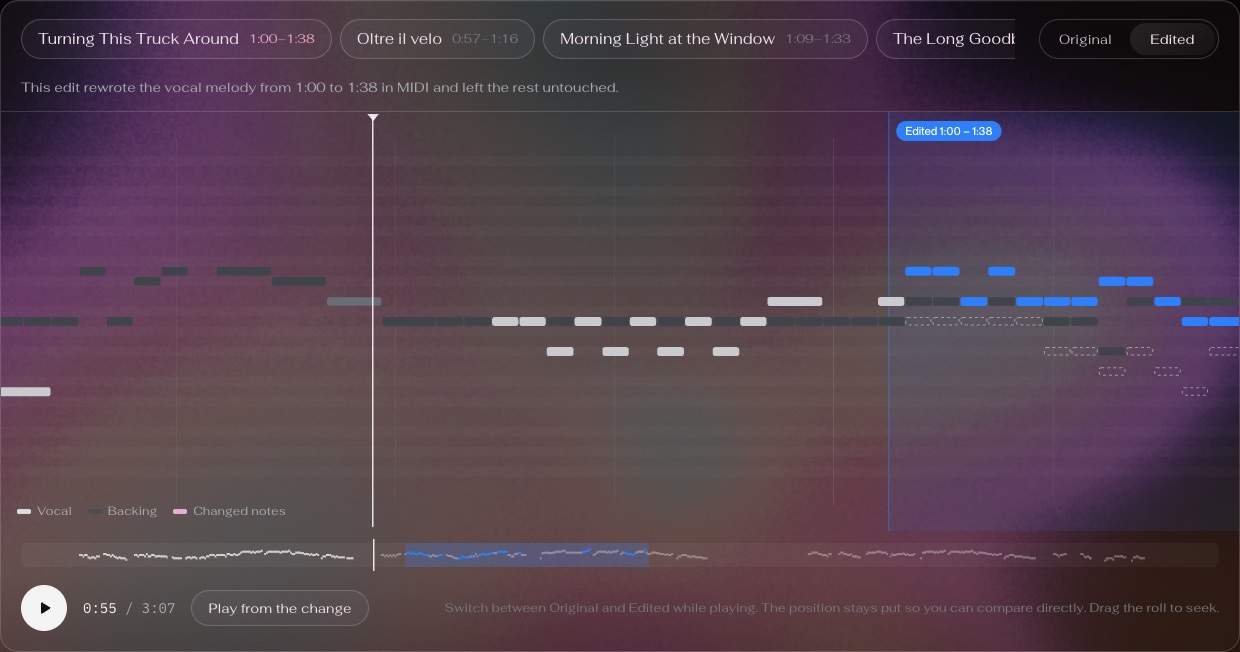
Download a MIDI file for your DAW, or drag notes, swap chords and rewrite lyrics in Studio. Only the passage you changed is sung again; the rest stays as it was.
Questions
Is the audio to MIDI converter free?
Yes. A free account gets 30 credits a day and converting a song uses 10, so you can convert about 3 songs a day, every day. Downloading the MIDI is free, and no card is needed.
What ends up in the MIDI file?
The vocal melody as MIDI notes, along with the instrumental notes Studio shows for the song, including any notes you changed. Studio also shows the detected chords and the lyrics lined up with the notes.
Which songs work best?
Songs with one clear lead vocal. Studio follows the sung melody, so a solo voice over an arrangement converts more cleanly than a dense mix, a choir or a purely instrumental track.
What audio formats and lengths can I upload?
MP3, WAV, FLAC or M4A, up to 6 minutes long. Upload only songs you made or have permission to use.
Can I edit the melody and hear the result?
Yes. Drag notes on the piano roll, change a chord or rewrite a lyric line, and Studio sings back only the passage you edited, keeping the rest of the recording. Each edit uses credits like a conversion.
Do I need to install anything?
No. Studio runs in your browser: upload, convert and download the MIDI from heartmula.com, then open it in any DAW or notation app.