
HeartMuLa
AI song editor
Upload a song and edit it like a document: rewrite a lyric line, move a few notes or swap a chord, and MuLa Studio sings back only that passage. The rest of the recording stays as it was.
Free to start: 30 credits a day, no card needed.
How it works
- 01
Upload a song
Add an MP3, WAV, FLAC or M4A file up to 6 minutes long, of a song you made or have permission to use. Songs with one clear lead vocal work best.
- 02
See it as notes, chords and lyrics
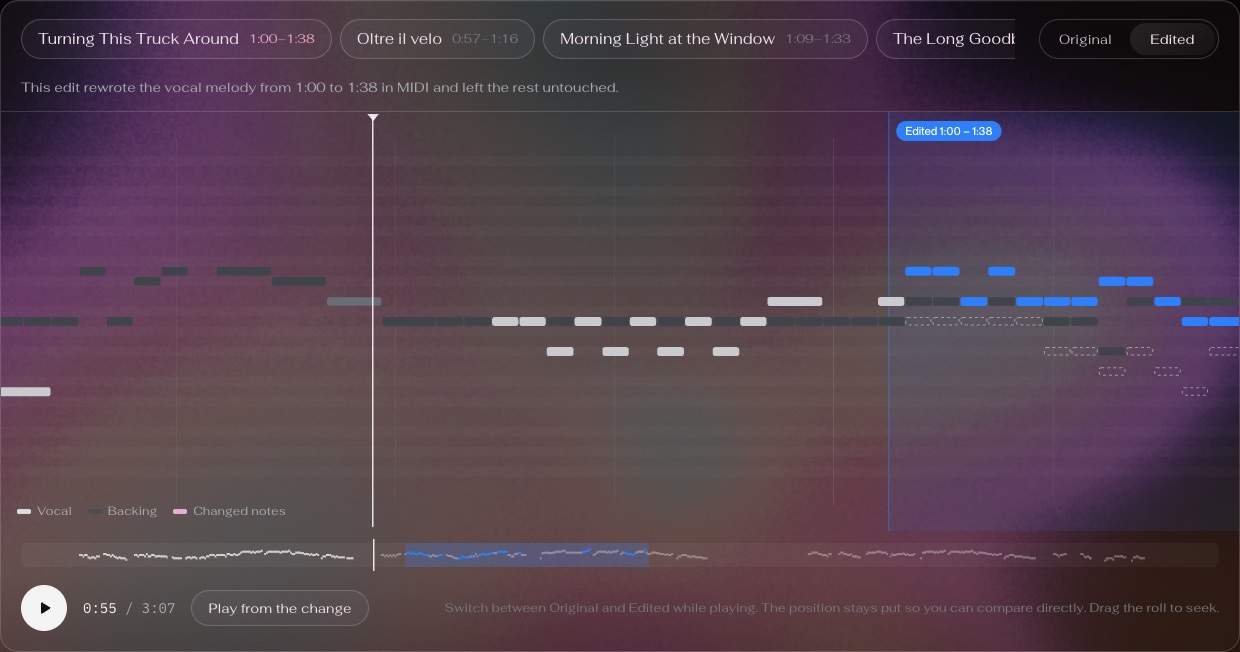
Studio transcribes the vocal melody into notes on a piano roll, detects the chords and lines up every lyric line with its notes.
- 03
Edit and listen
Rewrite a line, drag notes or change a chord, then generate the edit. Only that passage is sung again; compare it with the original and keep the version you like.
Questions
Is the AI song editor free?
Yes, to try. A free account gets 30 credits a day; opening a song in Studio uses 10 and each edit you generate uses 10, so you can open a song and make 2 edits every day. No card is needed.
What can I change in a song?
The lyrics of a line, the notes of the vocal melody and the chords of a passage. Studio shows them on a piano roll with the lyrics under the notes; change what you want and generate the edit.
Does the rest of the song stay the same?
Yes. Only the passage you edited is generated again; everything before and after it stays as it was in the recording, and you can compare the edit with the original.
Which songs work best?
Songs with one clear lead vocal. Studio follows the sung melody, so a solo voice over an arrangement edits more cleanly than a dense mix, a choir or a purely instrumental track.
What audio formats and lengths can I upload?
MP3, WAV, FLAC or M4A, up to 6 minutes long. Upload only songs you made or have permission to use; an edited song is still based on the original, so releasing it needs the same permission.
Do I need to install anything?
No. Studio runs in your browser at heartmula.com: upload, edit, listen and download from there.